

Product updates
October 2026 recap
October was another bumper month, with 360 feature updates, enhancements, fixes and more—all focused on organisations and automations. You can now bill your organisation for members’ subscriptions and event tickets when building join and RSVP forms. Automations now let you schedule a run daily or at a specific interval.
Beyond organisations and automations, you can get more data from your events with custom attendee questions, collect each attendee’s details, and provide clearer event ticket invoices. We also launched a smarter, faster Swift Search with a keyboard shortcut (Ctrl+K or Cmd+K), and the ability to send MMS to your contacts.
Here’s a quick rundown of what’s new and what it means for you.
Prefer to dive into the detail?
Highlights from October
Organisation billing
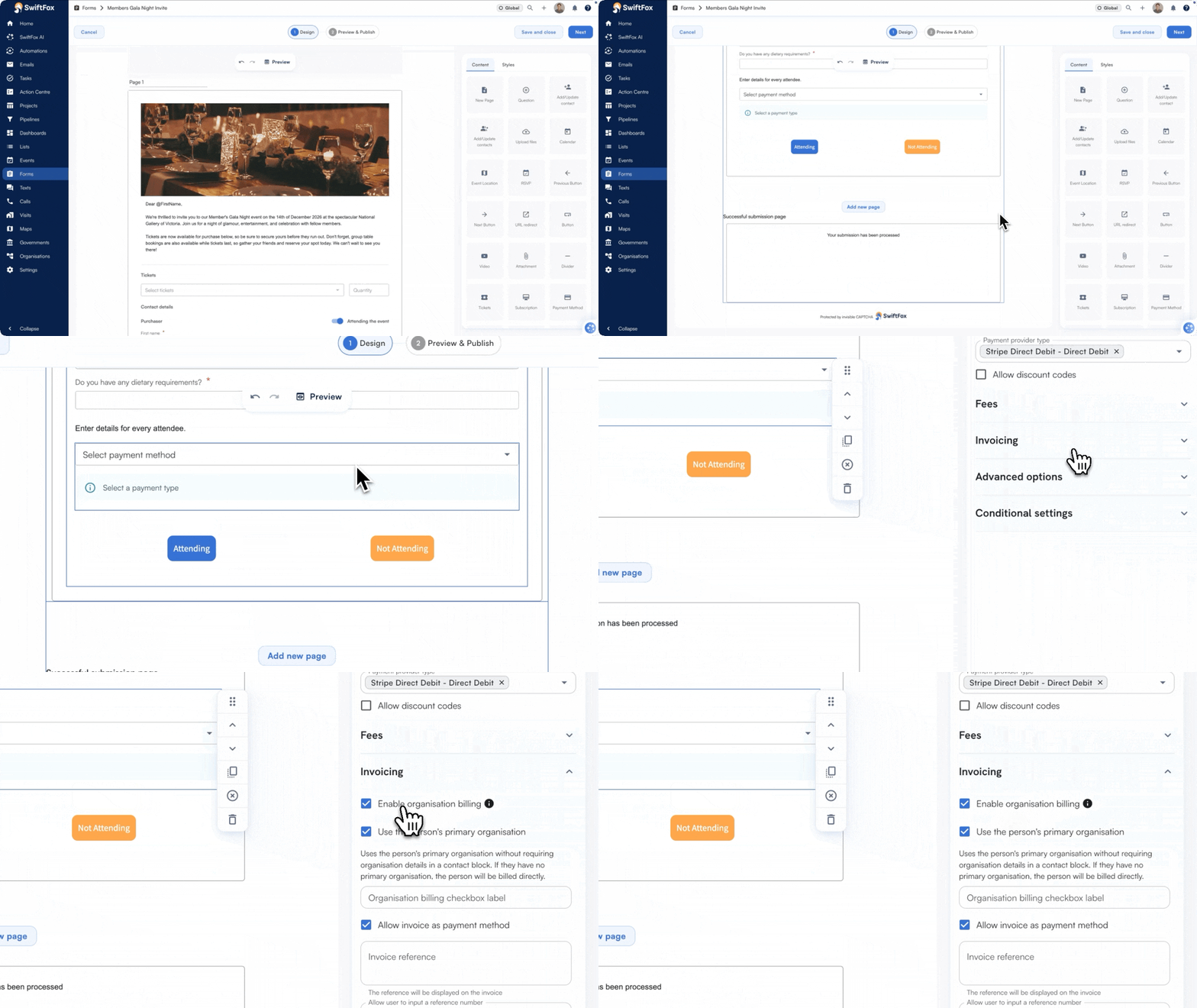
Right now, when a member registers for an event or a subscription, the charge sits against them personally — leaving their sponsoring organisation no way to pick up the tab. Organisation billing fixes that. Members can elect to have their organisation invoiced for event registrations and subscription, keeping the billing tidy and the member as the attendee of record.
Emailing representative roles
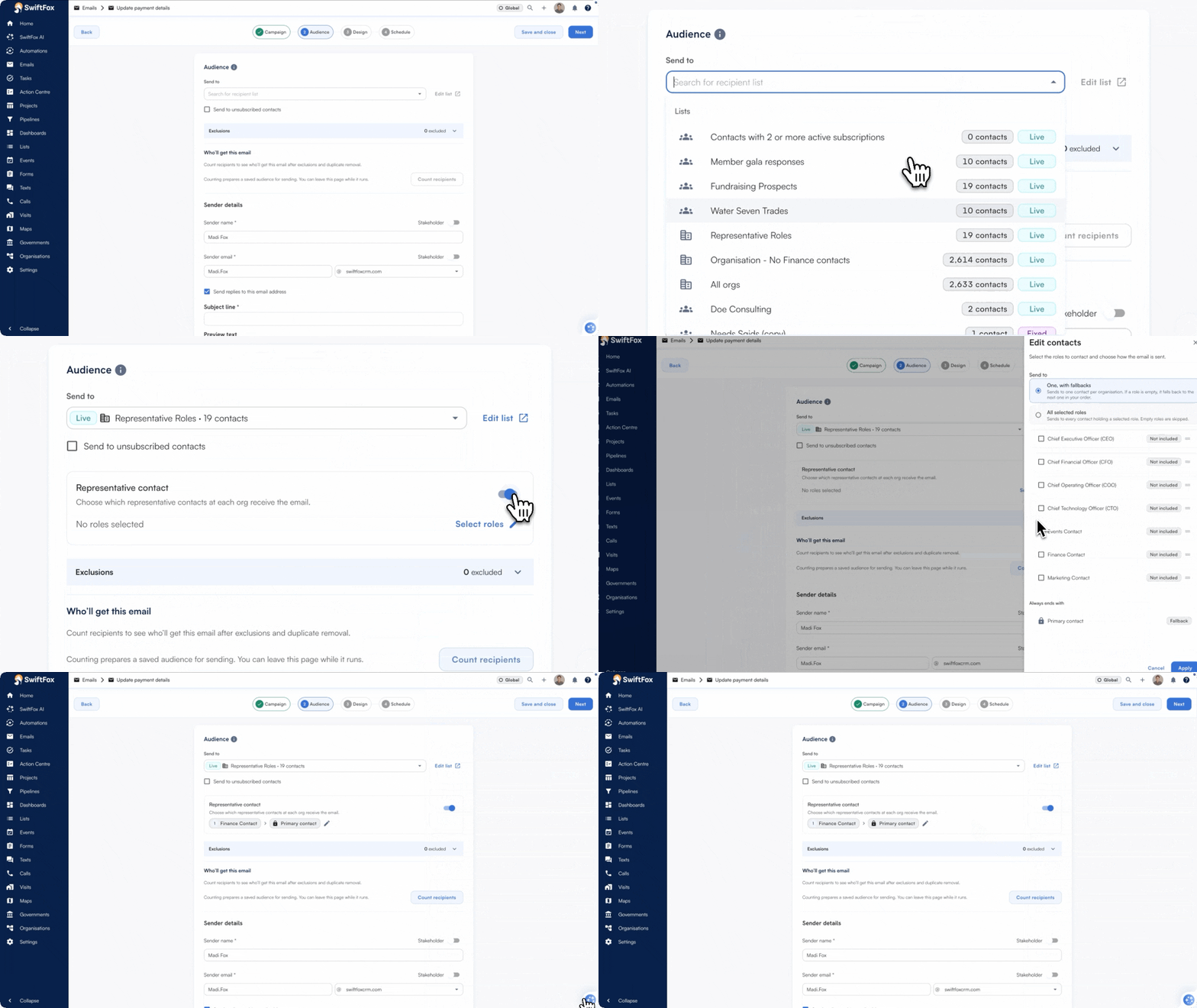
One email, every person who needs it — each addressed by name. Previously, emailing representative contacts meant choosing one person or building workarounds to reach several. Now you can send a single email that goes to every relevant contact at an organisation individually, with no manual duplication required.
Custom attendee questions
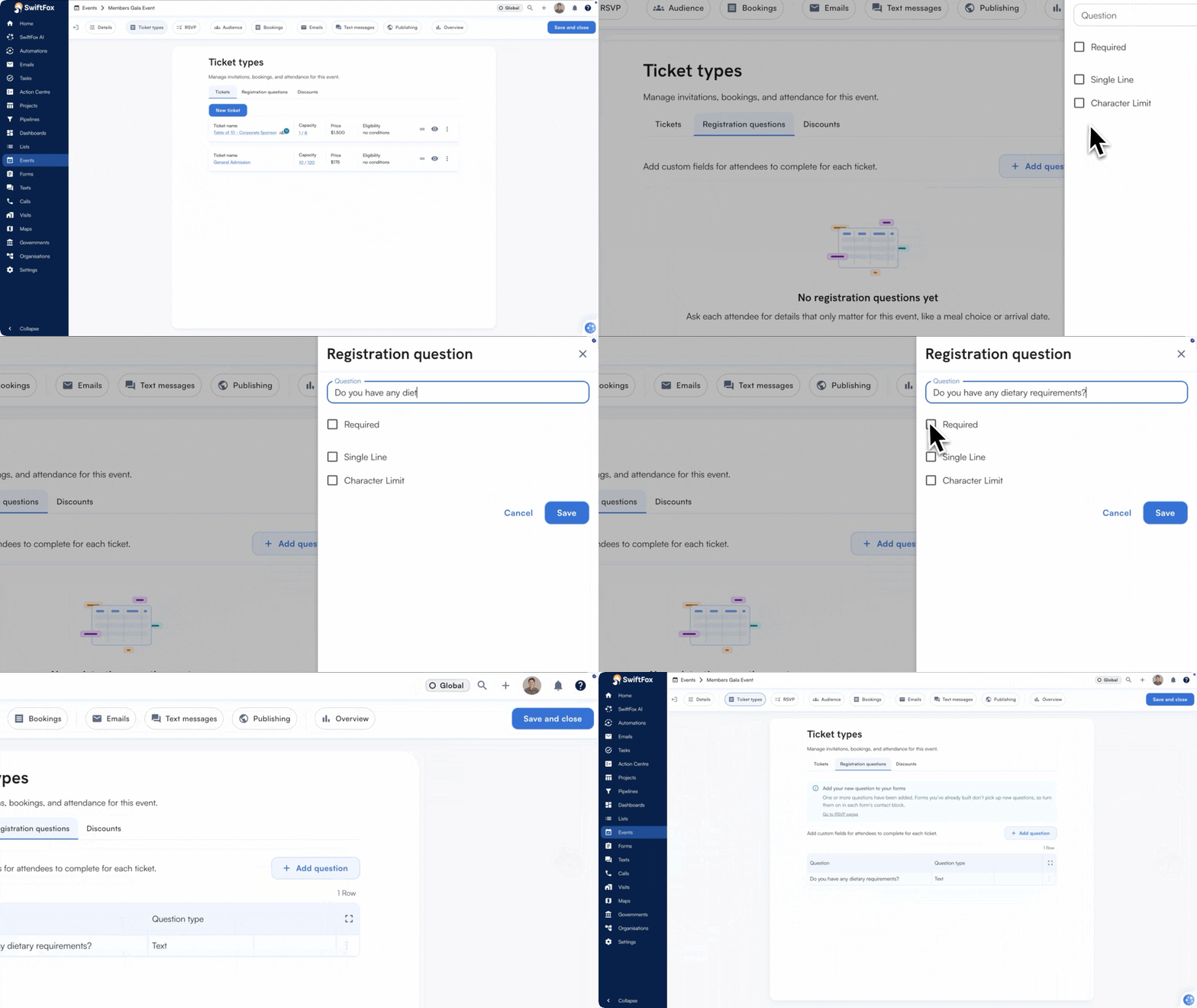
Event organisers can now ask attendees custom questions when they book tickets — things like meal preferences, accessibility needs, or t‑shirt sizes. Set up your questions once on the event, and SwiftFox handles the rest: collecting answers at checkout, letting you edit responses on the spot, and including everything in your attendee export.
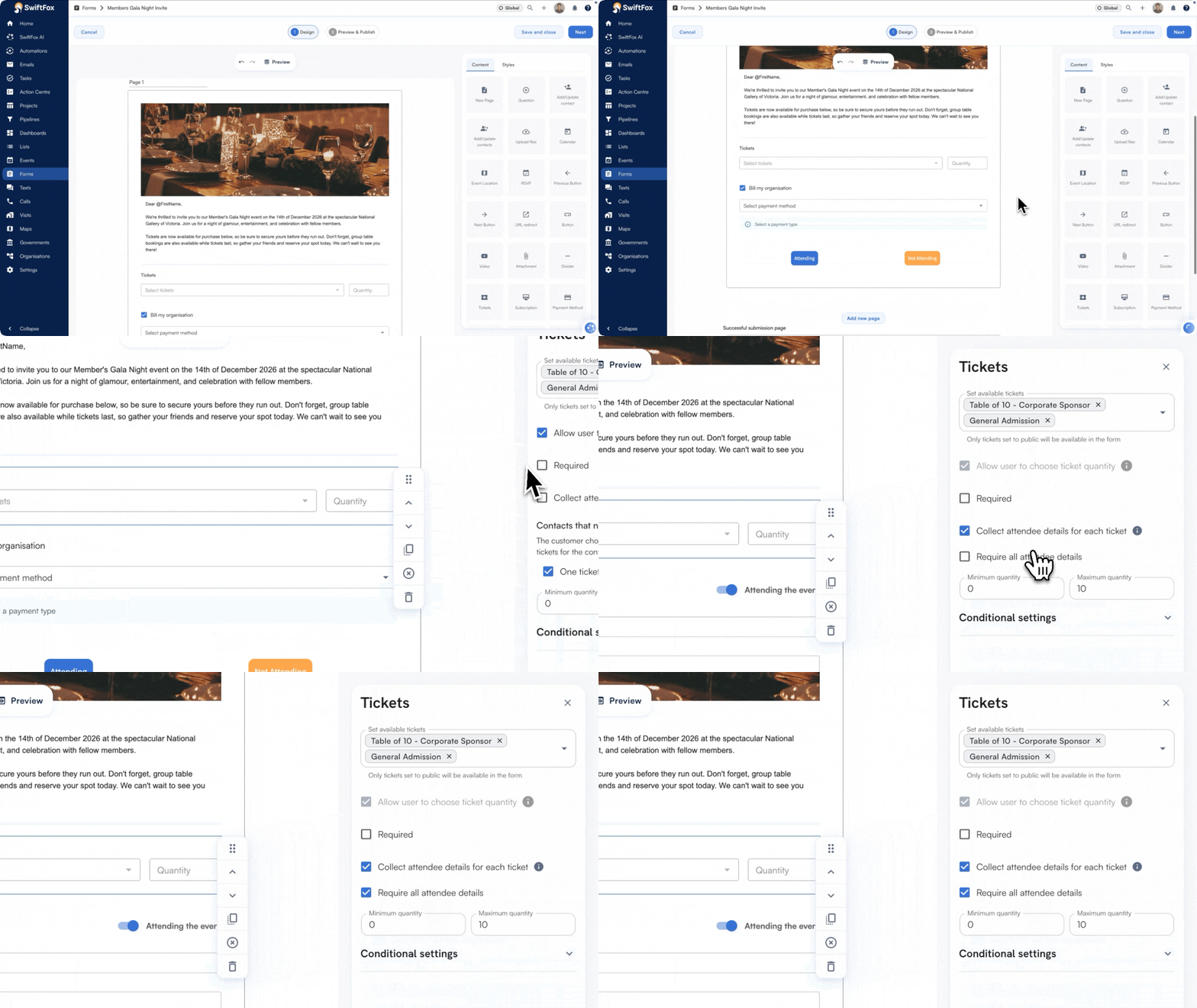
Collect attendee details
Group bookings just got a lot smarter. Now, when someone purchases multiple tickets to an event, a separate attendee block is automatically generated for each seat — no more clicking “Add New Contact” ten times. You decide whether attendees need to be named at checkout or can be filled in later, and whether the purchaser takes one of the seats themselves. Every form keeps its existing behaviour until you opt in.
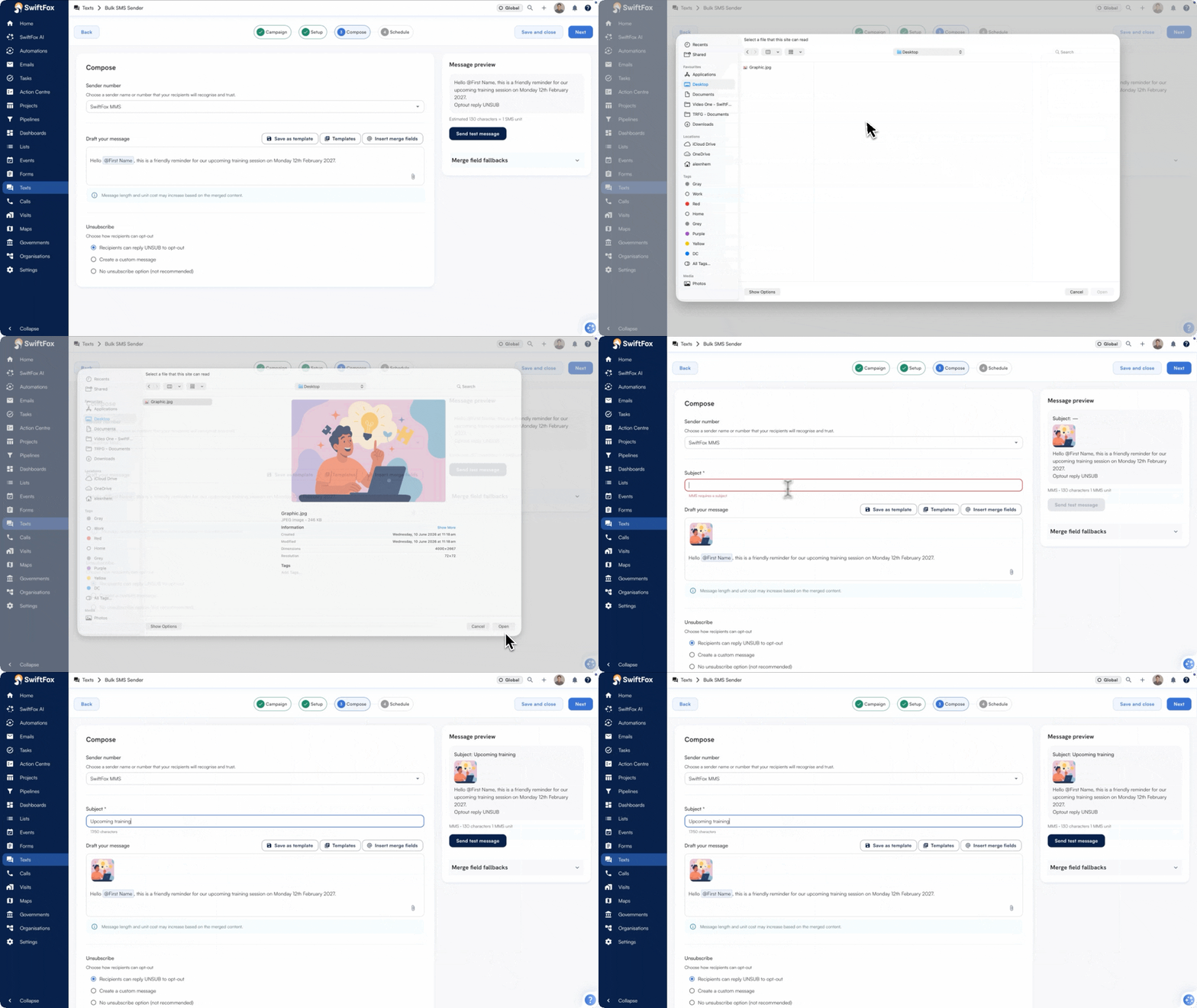
Send pictures via text
Add images to your text campaigns and make your messages stand out. With MMS support, you can now include photos alongside your text—perfect for event promotions, product showcases, or anything that needs more than words. It’s simple: create your text campaign, upload your image, and send. MMS messages are billed at the standard rate for your carrier.
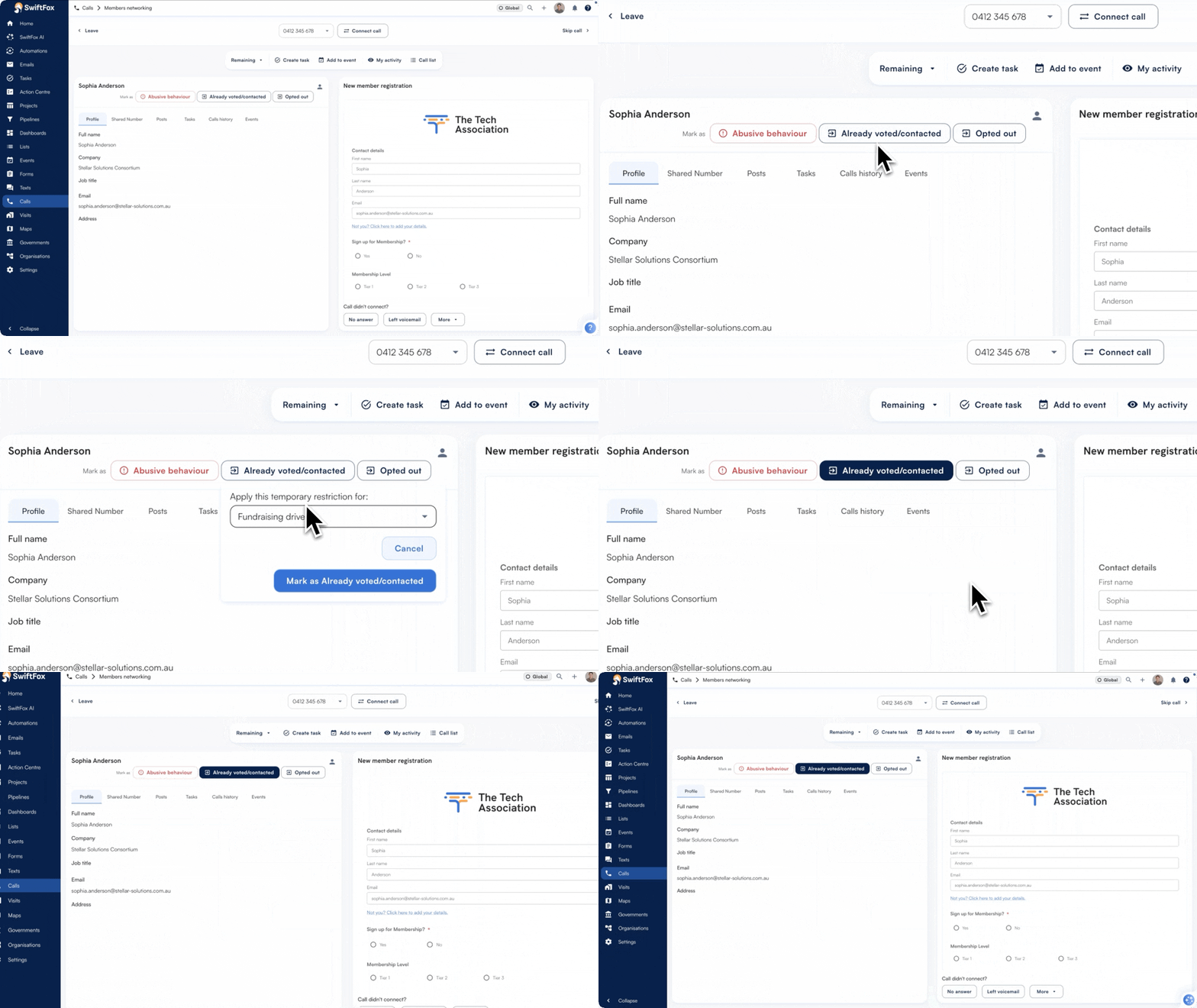
One-click contact block
Blocking a contact permanently used to mean navigating away mid‑call to dig through profile settings — slow, disruptive, and easy to skip. Now you can apply a permanent block with one click, right from the profile, call screen, or visit screen. A quick confirmation step keeps it intentional, and the restriction badge updates instantly so your team always knows where things stand.
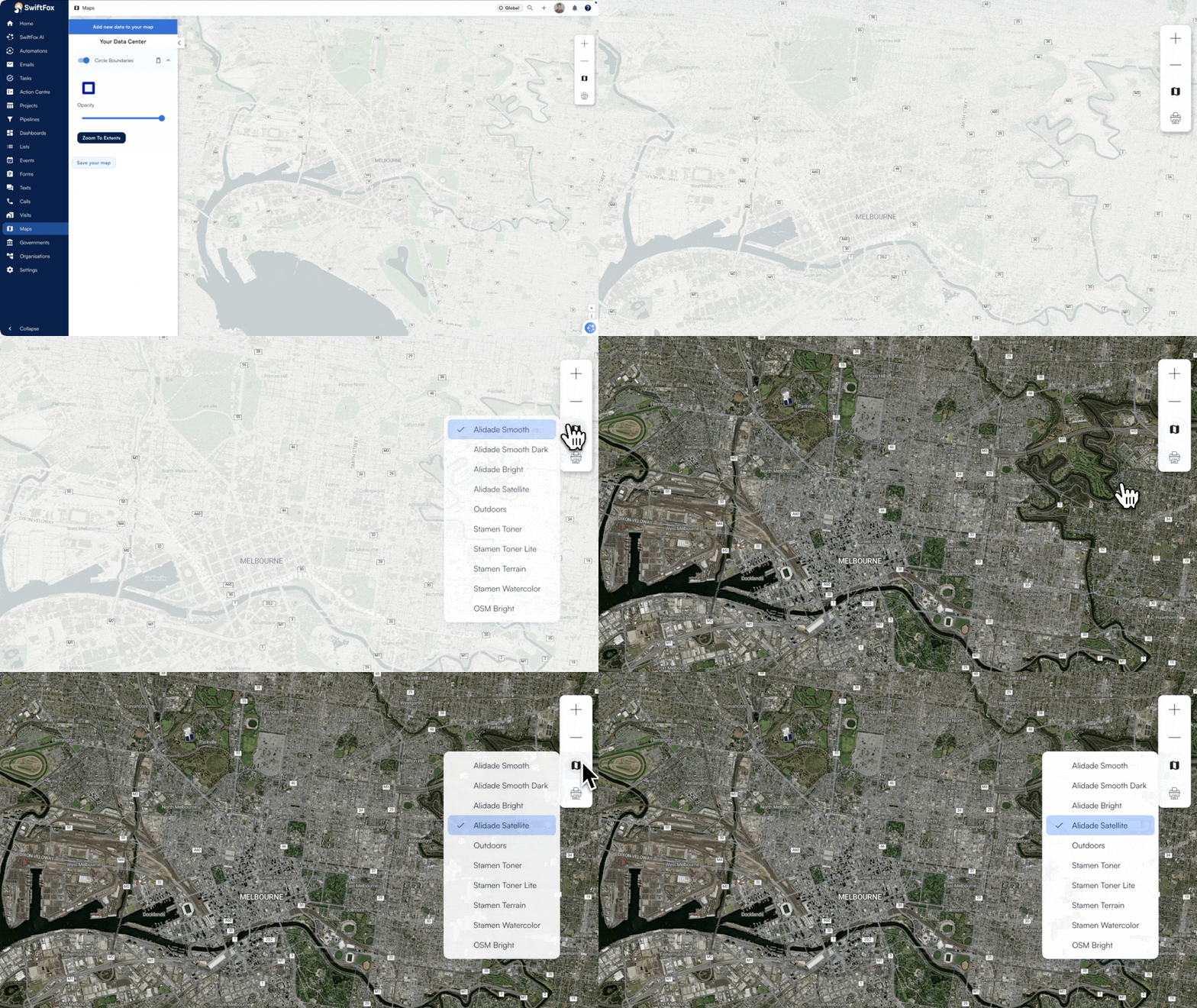
Custom map styles
Maps work better when they match the job. With custom map styles, you can switch between ten different views — from satellite imagery to high-contrast dark mode to print-ready styles —remembering your choice across every map screen, tab, and reload.
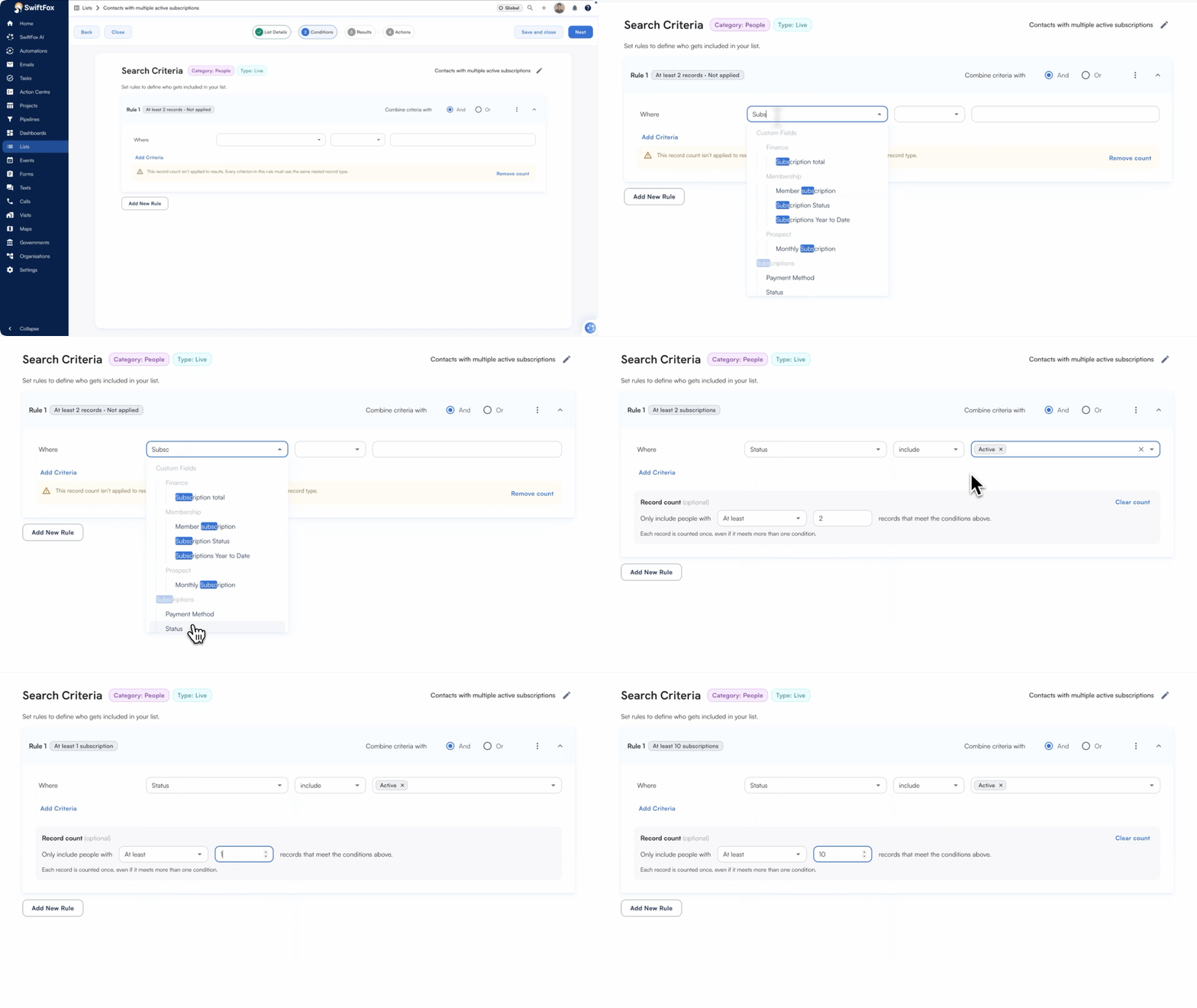
Record count in lists
Lists now lets you filter by record counts — not just whether a matching record exists, but how many. Find people with two or more paid invoices, contacts with no calls logged, or members with exactly one active subscription. It’s a sharper way to slice your data and act on what actually matters.
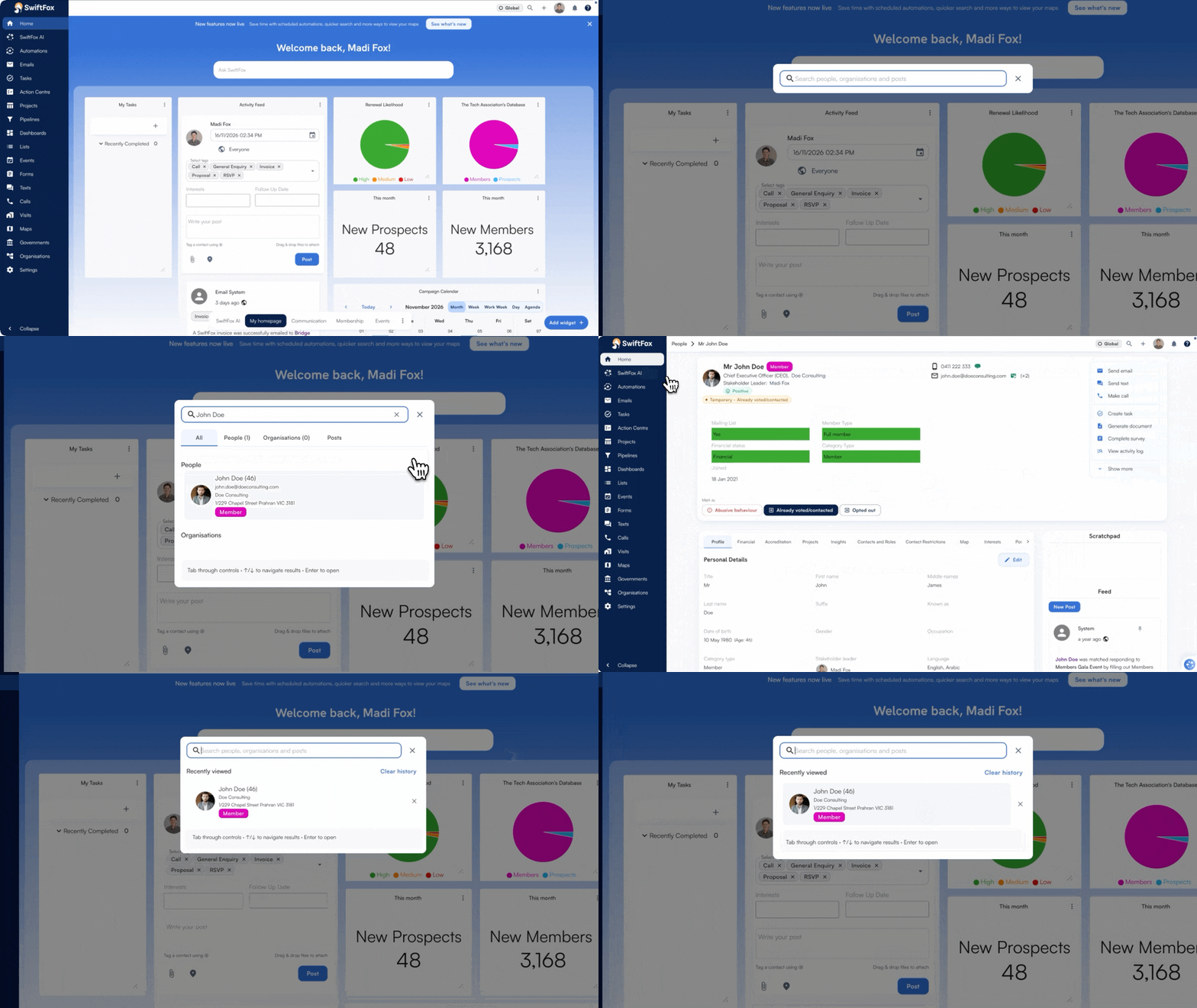
Faster Swift Search
Swift Search just got a lot faster — and a lot smarter. Results appear as they arrive, recent records are a single click away, and your keyboard gets you everywhere. No more retyping the same search to find someone you just looked at.
SwiftFox Masterclasses
Our SwiftFox Masterclasses continue to receive great feedback from customers, be sure to check out the latest sessions released recently, including:
Contact restrictions
Email campaign overview & click rate
Representative Roles
New event navigation, Audience and Bookings & tickets