

Product updates
July 2026 recap

July didn't bring one big release — it brought a lot of small ones, most of them straight from your roadmap requests. SwiftFox AI is becoming the home for help and chat, wherever you are in SwiftFox. Action Centres picked up new invoice, tax and receipt detail. And events attendees can now be added to sessions in RSVP forms and Calls.
Prefer to dive into the detail?
Highlights from June
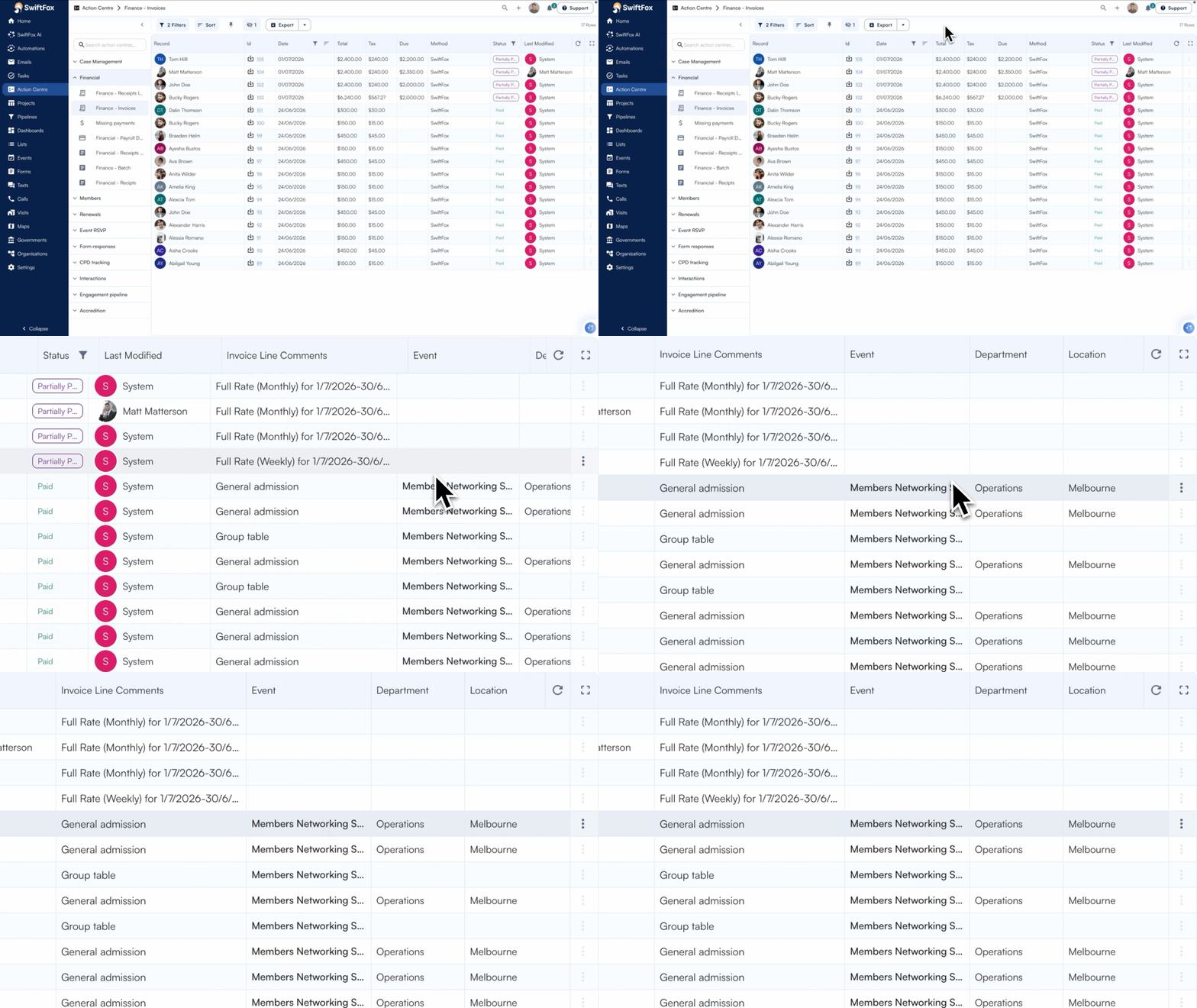
Invoice and Receipts Action Centre
Your invoice and receipt Action Centres now show the detail you actually need — without hunting through exports. See invoice information and line items directly in the table, and instantly tell the difference between incoming payments and outgoing ones.
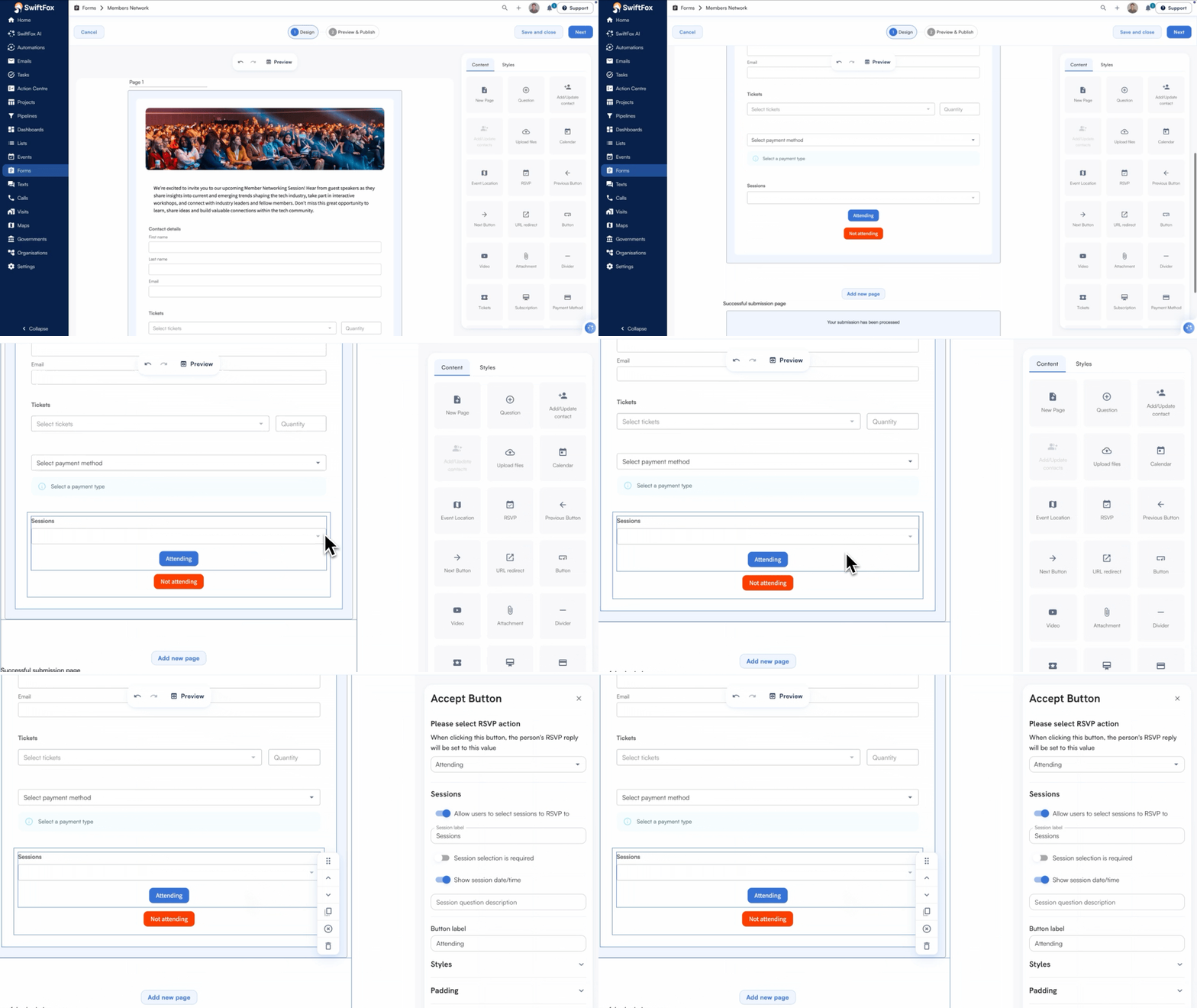
Event Sessions RSVPs
Running a multi‑session event? Now your attendees can RSVP to the specific sessions they plan to attend — not just the event itself. Session RSVPs gives you clearer visibility into who’s coming to what, so you can plan better and deliver a smoother experience for everyone.
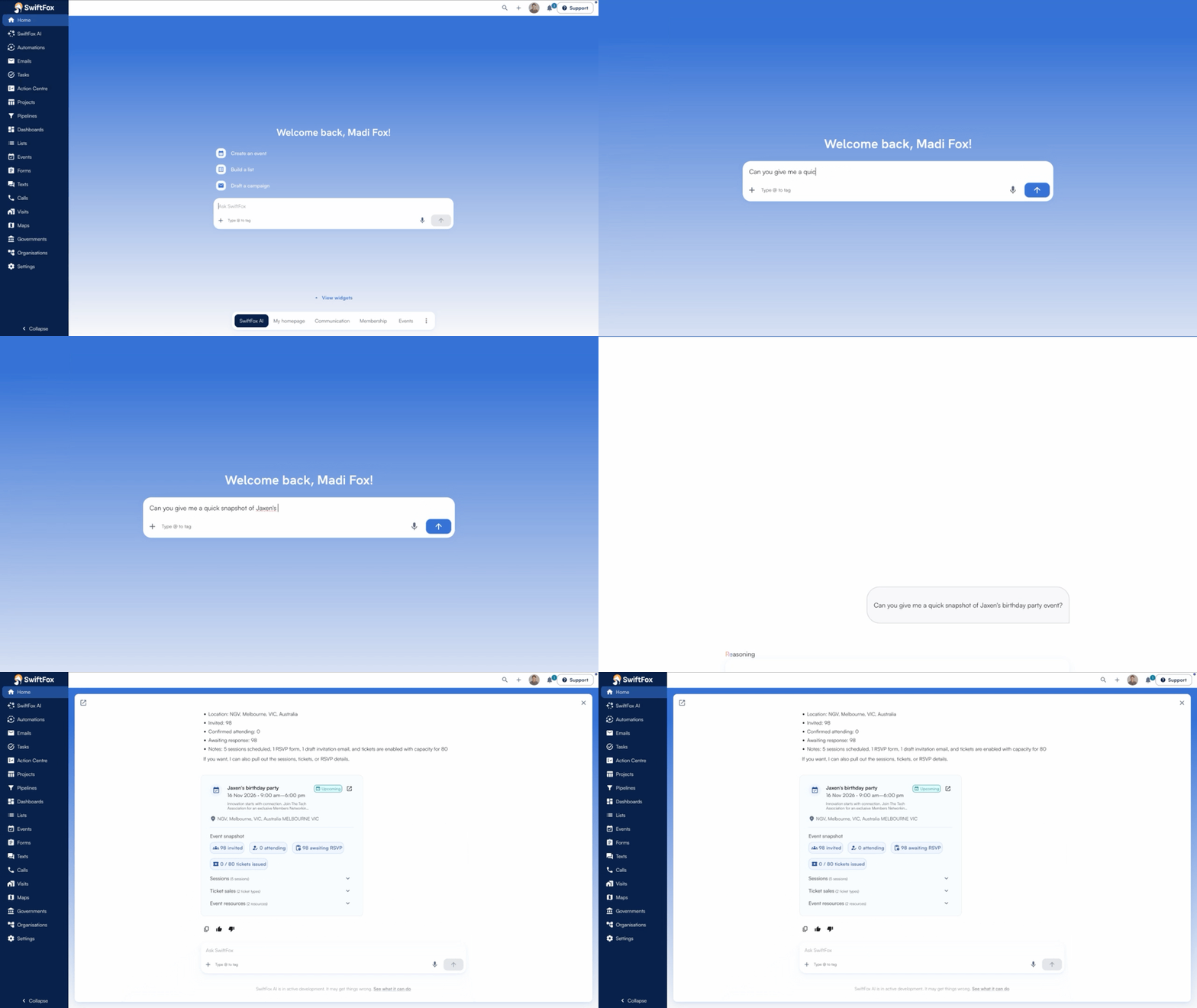
Event attendee overview
No more switching tabs to find out who’s coming. Ask SwiftFox AI which members are attending an event and get the answer right there — no need to open the event manually. It’s the kind of quick operational check that should’ve always been this easy.
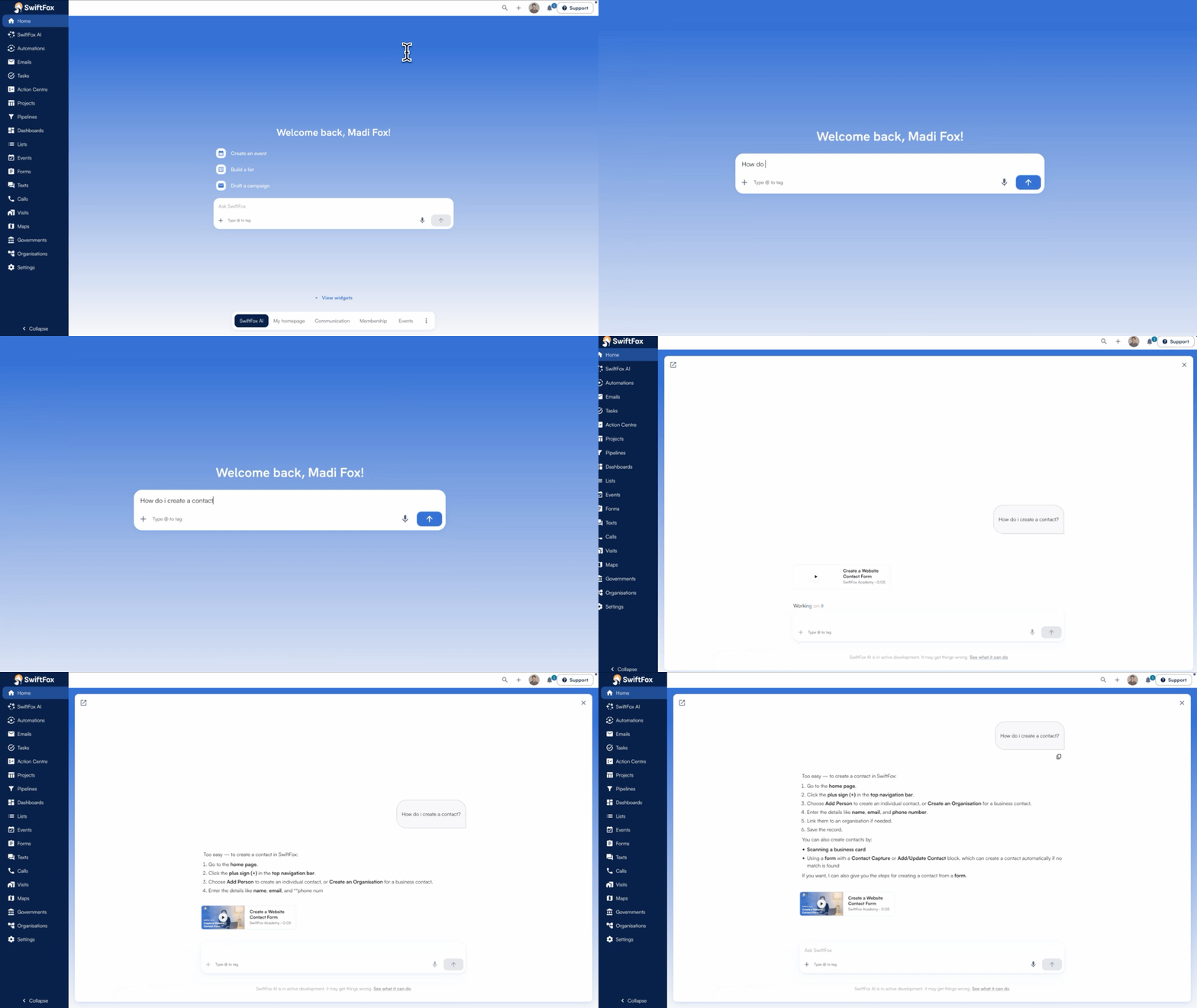
SwiftFox AI product help
SwiftFox AI is now your first stop for product help and everyday data tasks. Ask a question in plain language and get a real, useful answer — not a dead end. Search is smarter, list building is more flexible, and the experience keeps getting better the more you use it.
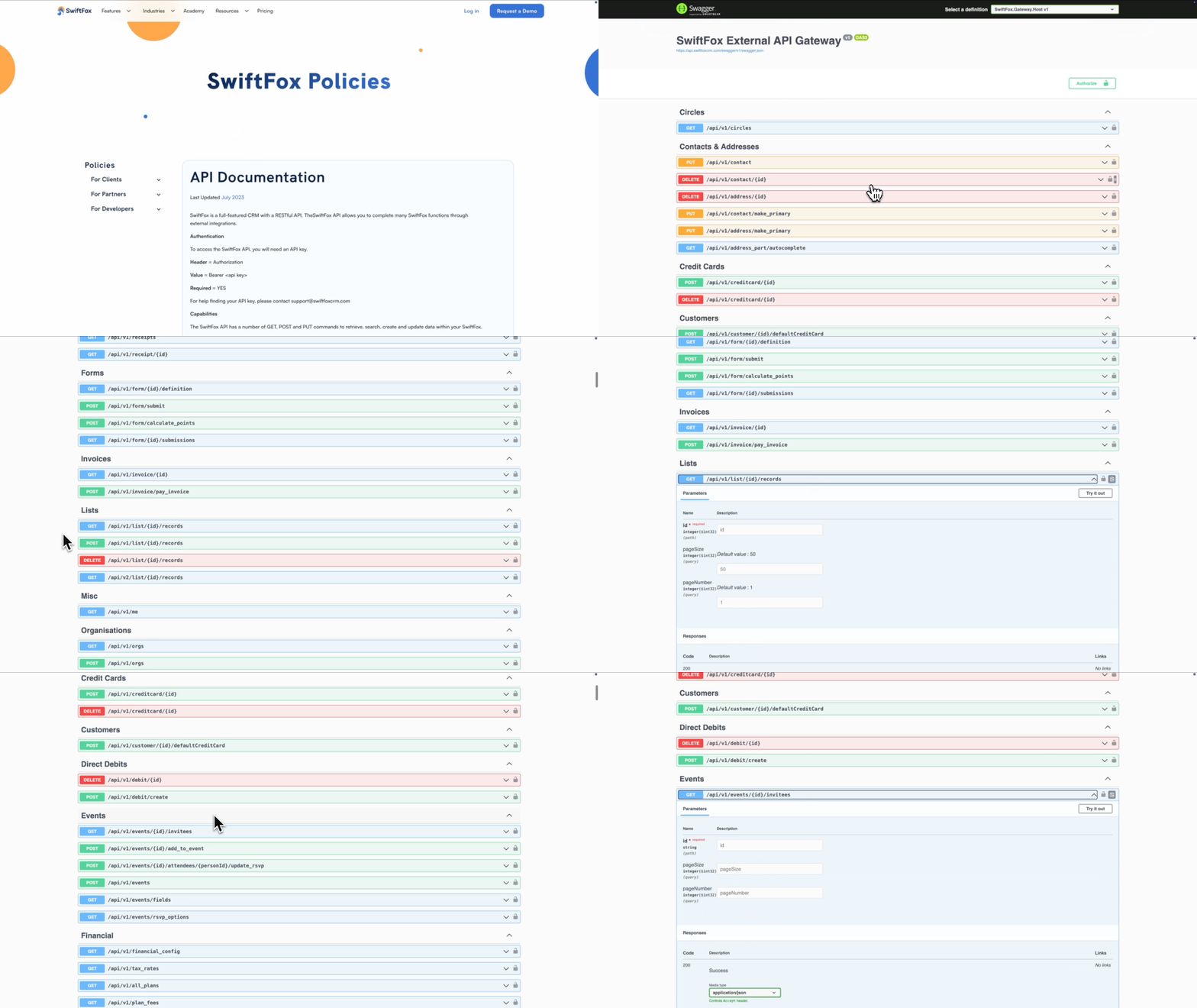
API improvements
Your SwiftFox data is now available where you need it. Expanded API support for events, forms and lists means you can connect SwiftFox to your reporting tools, websites and external systems without manual exports or one‑off workarounds. Events, form responses and live list results are all accessible through a predictable API structure — so your integrations stay reliable and SwiftFox stays the source of truth.
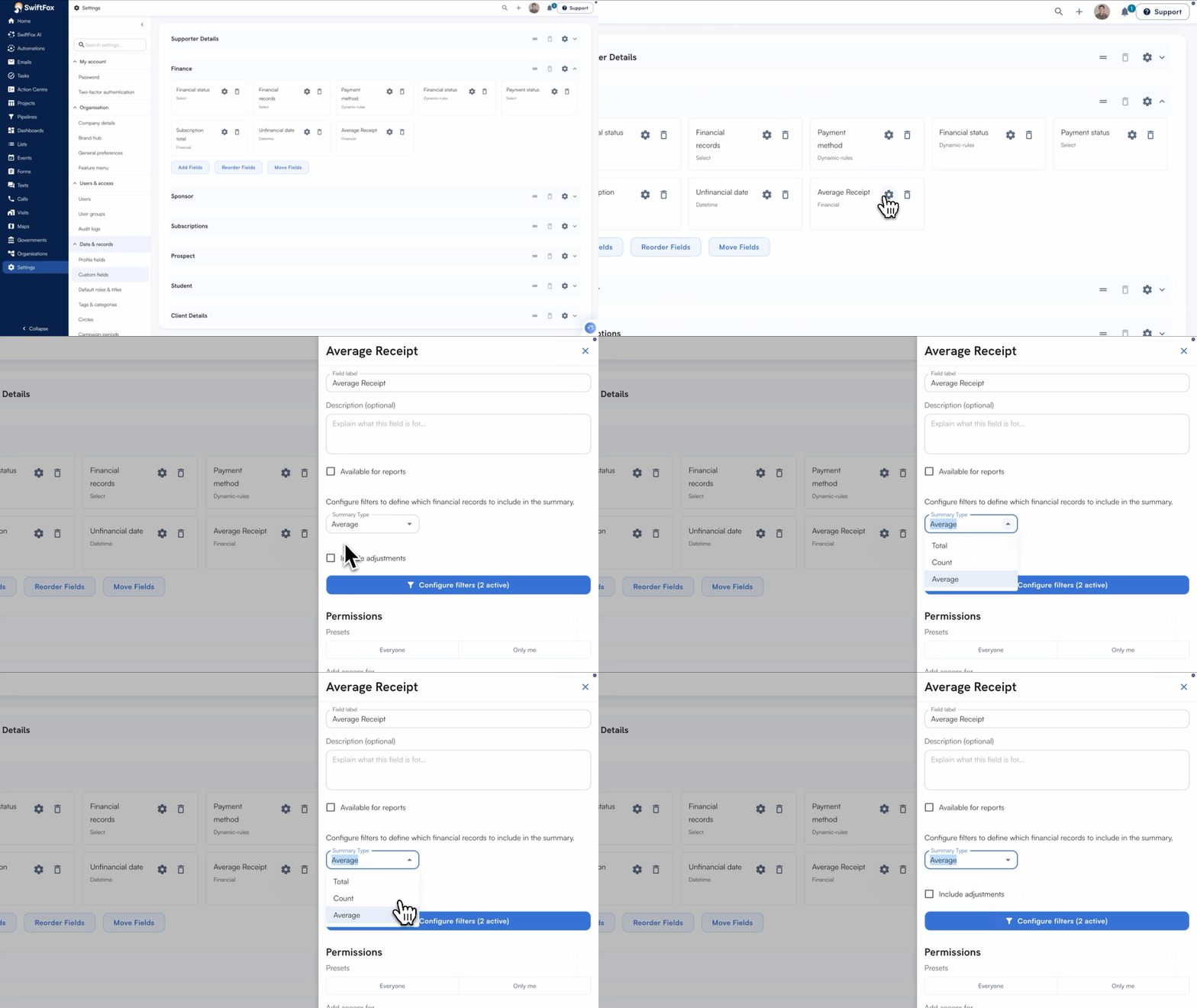
Improvements to Financial Summary
Financial Summary fields now include an Average calculation — so you can see the average value across matching receipts without leaving SwiftFox. Whether you’re tracking typical payment amounts or comparing contribution patterns, you get the number you need right where you need it.
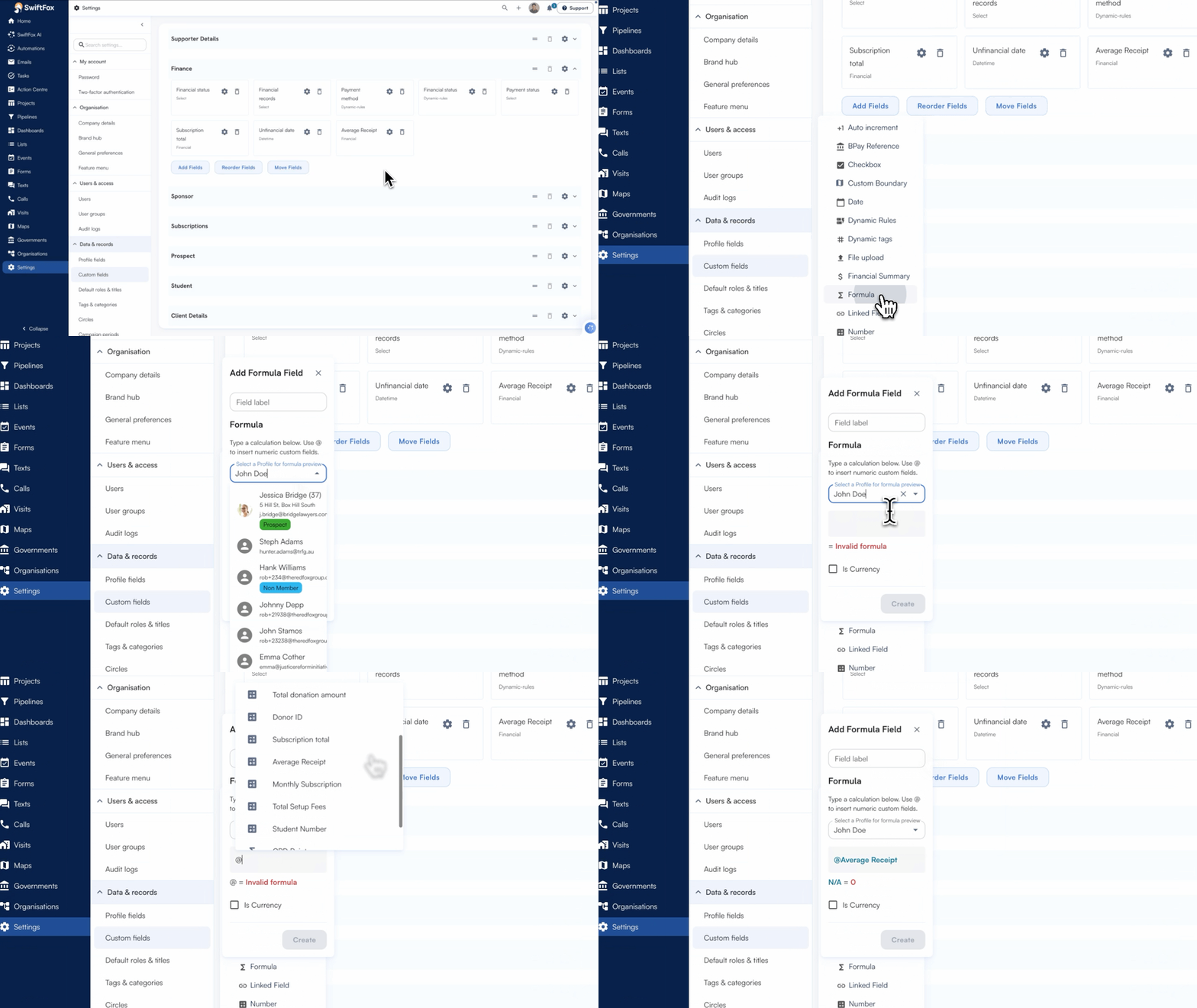
Improvements to Formula custom fields
Formula fields just got more powerful. Financial fields – like payments, balances, and amounts – can now be used as inputs when building formula custom fields. If your team already tracks financial data in SwiftFox, you can now put it to work directly in your formulas, no workarounds needed.
SwiftFox Masterclasses
Our SwiftFox Masterclasses continue to receive great feedback from customers, be sure to check out the latest sessions released recently, including:
Finance Action Centres
Relative dates in Automations
Email templates