Related posts
No items found.



June has been one of our busiest months yet, and a lot of it comes down to your feedback. We've overhauled emails with editable templates and a new template library, made contacts smarter with on-the-fly tags and editable profile fields, and given finance some long-requested upgrades. Here's a quick rundown of what's new and what it means for you.
Prefer to dive into the detail?
Highlights from June
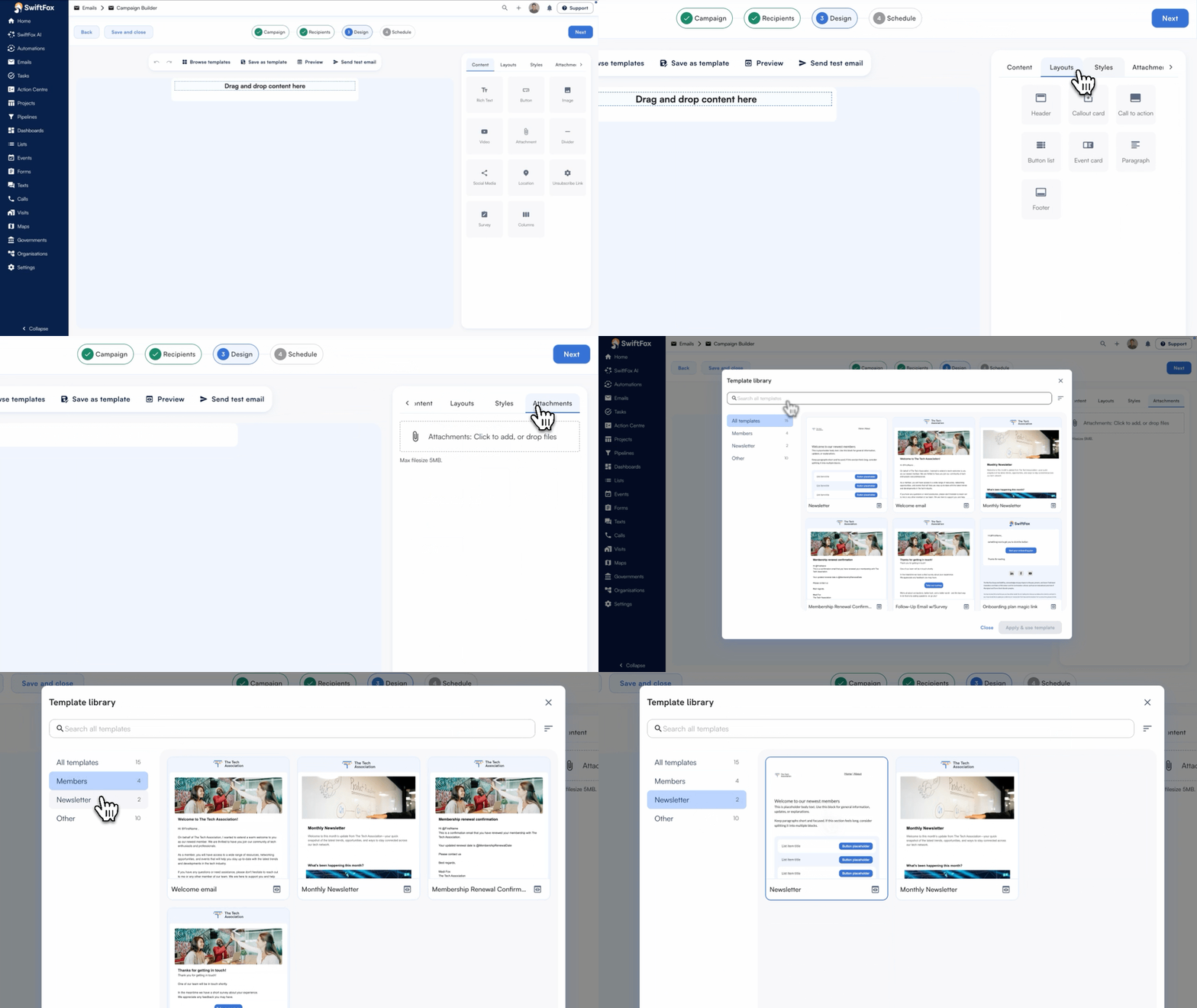
Updated emails interface
The emails interface has been redesigned to feel more intuitive and on-brand, the rich text block now supports borders, background and more, and undo/redo is built in. Everything you need to build great emails, faster.
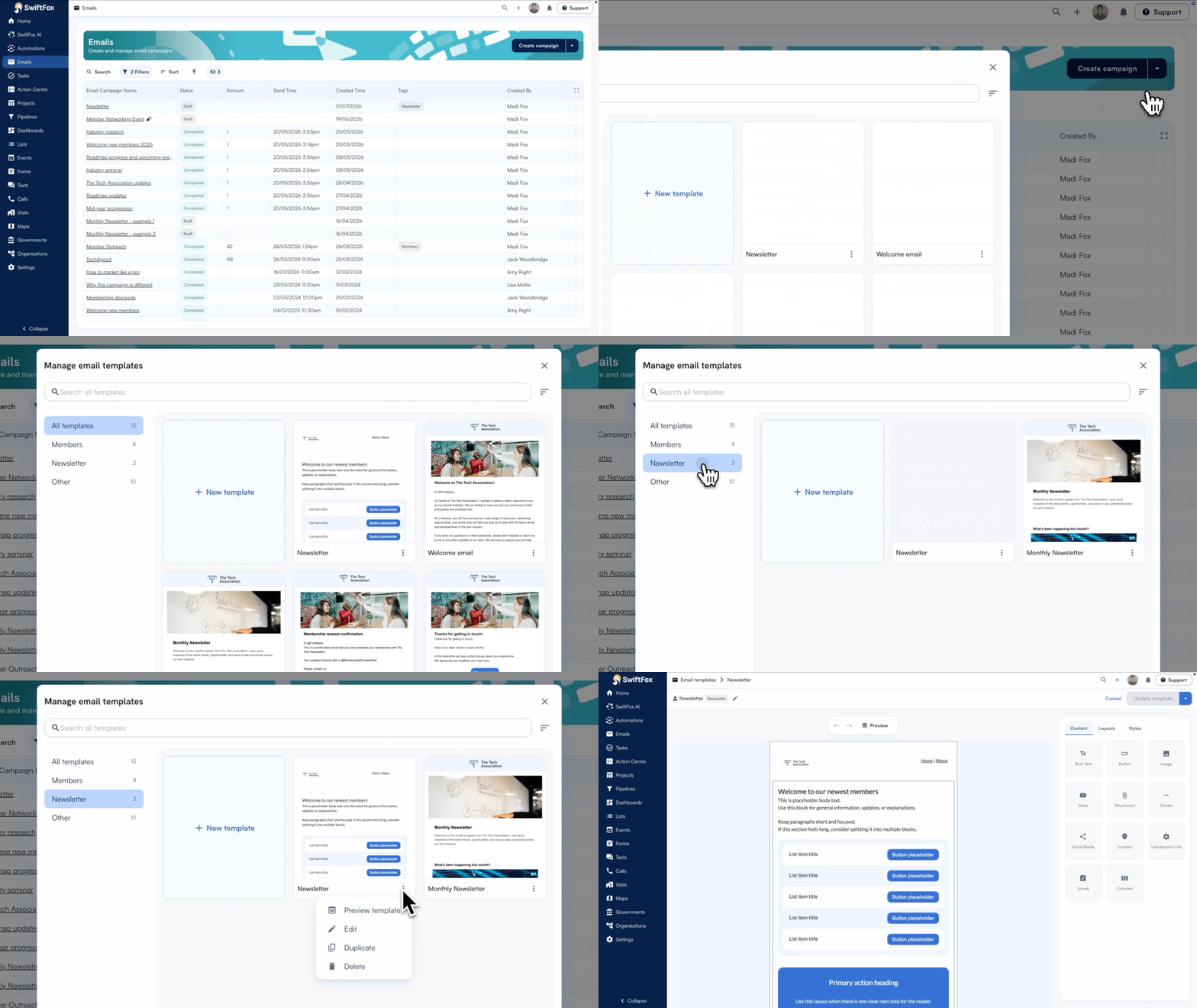
Email template library
Your email templates deserve a proper home. The Template Library gives you one central place to store, browse, and reuse all your saved email templates. No more hunting through old campaigns or rebuilding from scratch. Pick a template, start strong, and keep your brand consistent across every send.
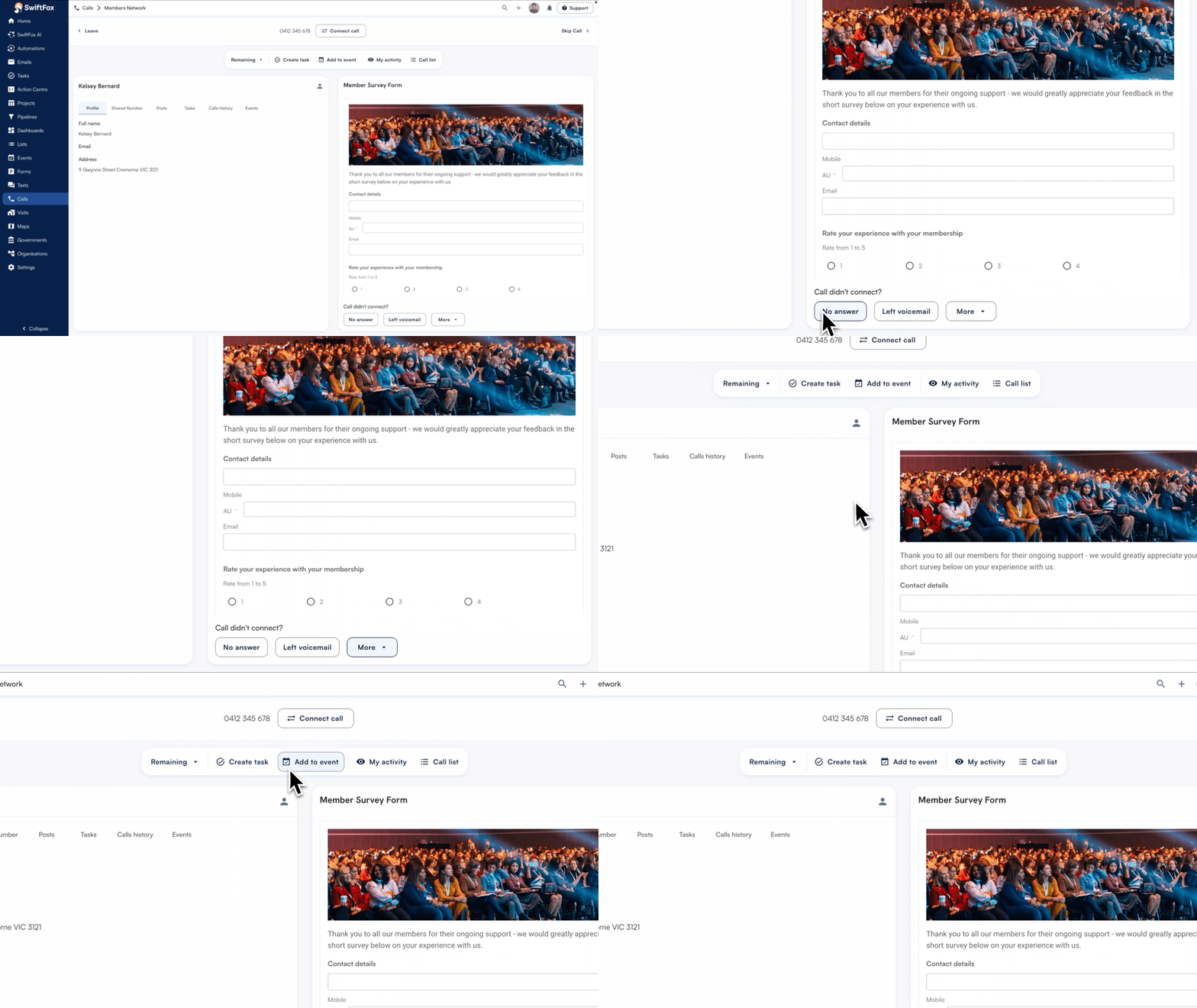
Updated calls interface
Calling volunteers sometimes miss outcome options because they're tucked away behind a secondary menu — and that means lost data. The refreshed Calls UI brings everything into view. A cleaner two‑column layout puts call outcomes right where you need them, alongside a new action toolbar that makes it easy to log callbacks, create tasks, and stay on top of your activity without hunting around the screen.
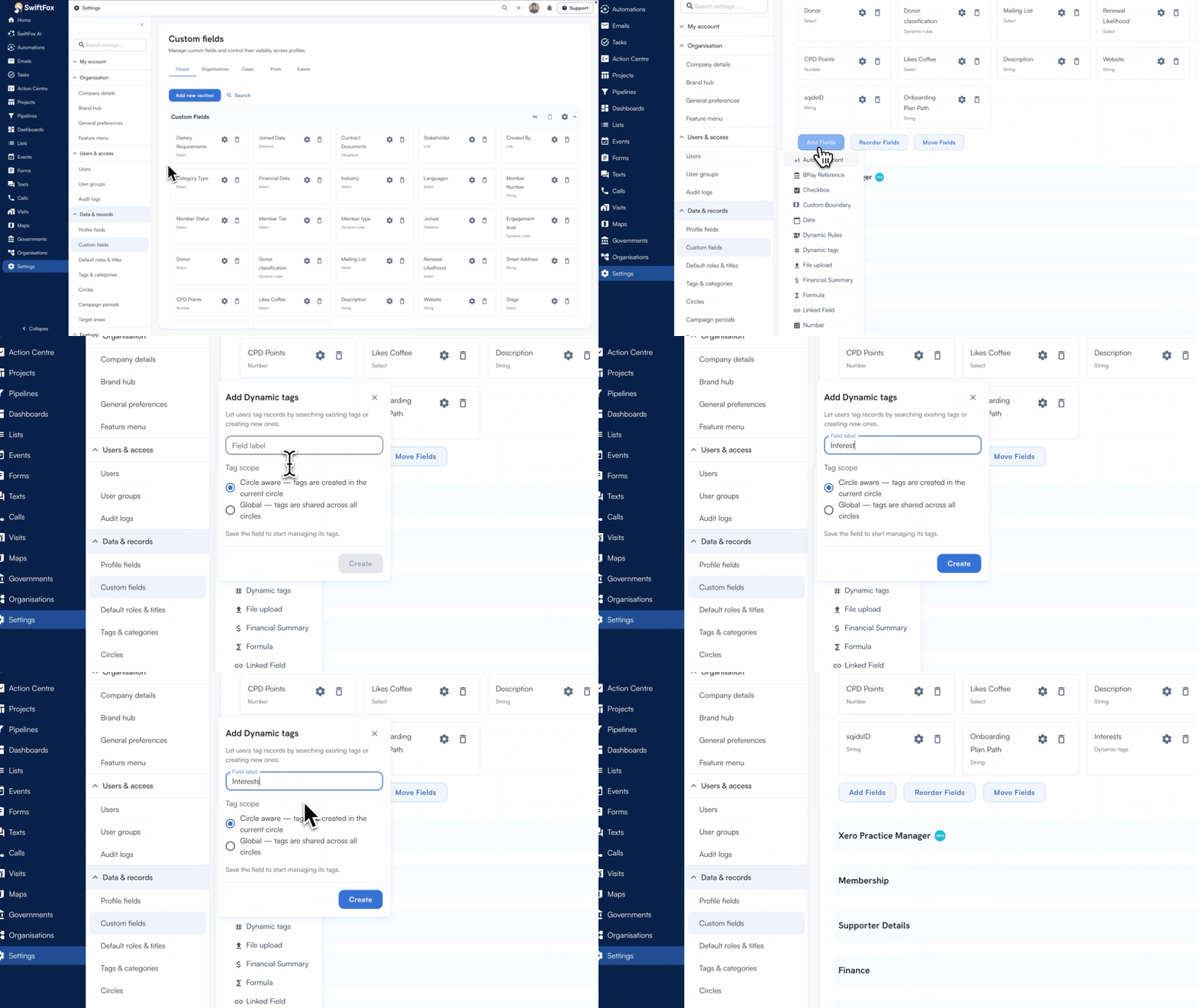
New dynamic tags custom fields
The new dynamic tags custom field lets you create tags on the fly — on people, organisations and posts. You can fix spelling mistakes, delete tags you no longer need, and search them in the list builder. Tags can also be circle-specific, so they stay relevant to the right teams.
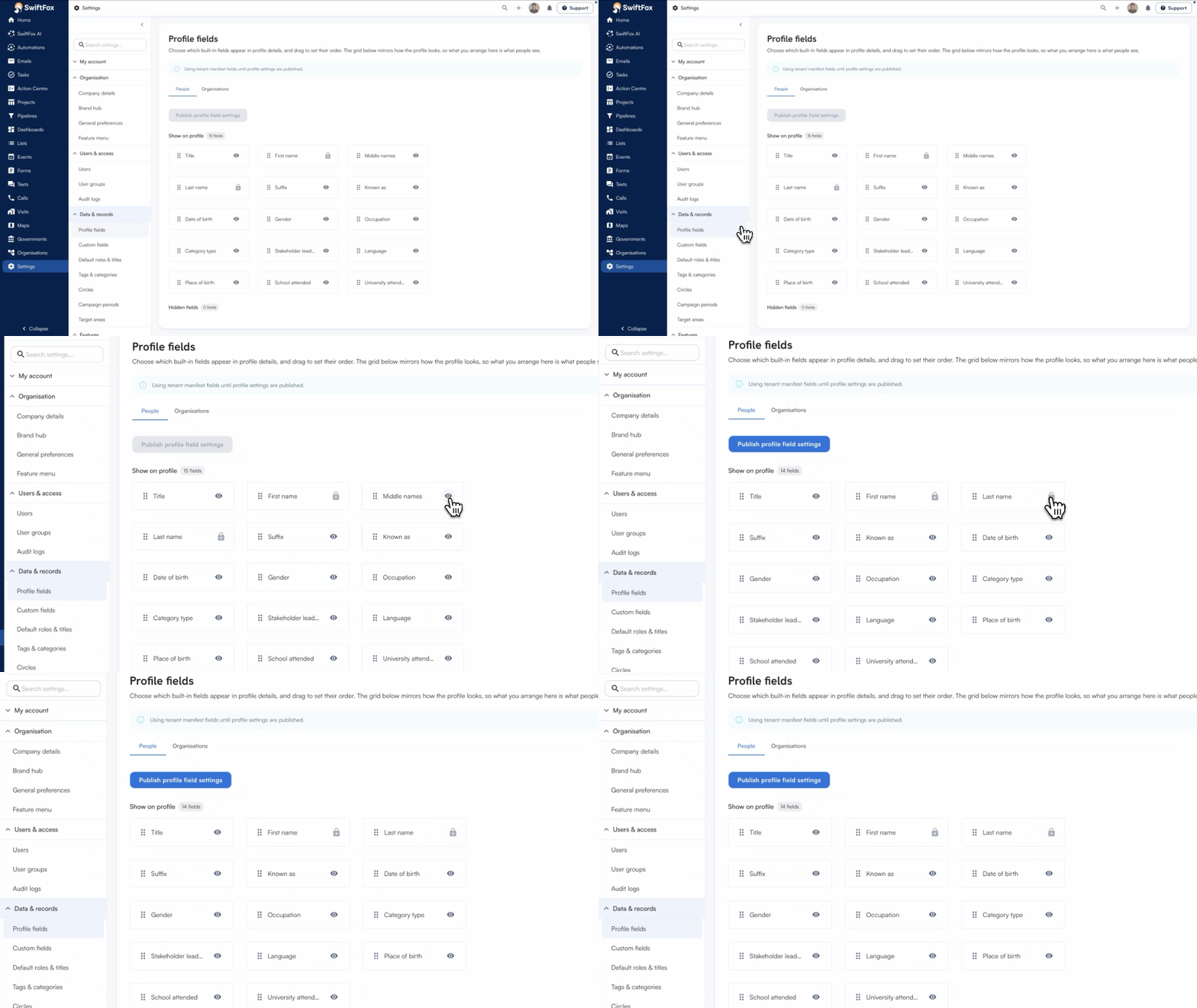
Change default profile details
You can now decide which default profile fields appear. Head to settings and hide any fields your organisation doesn't use, like middle name, jurisdiction or industry. It's a small change that keeps profiles clean and focused on what matters to you.
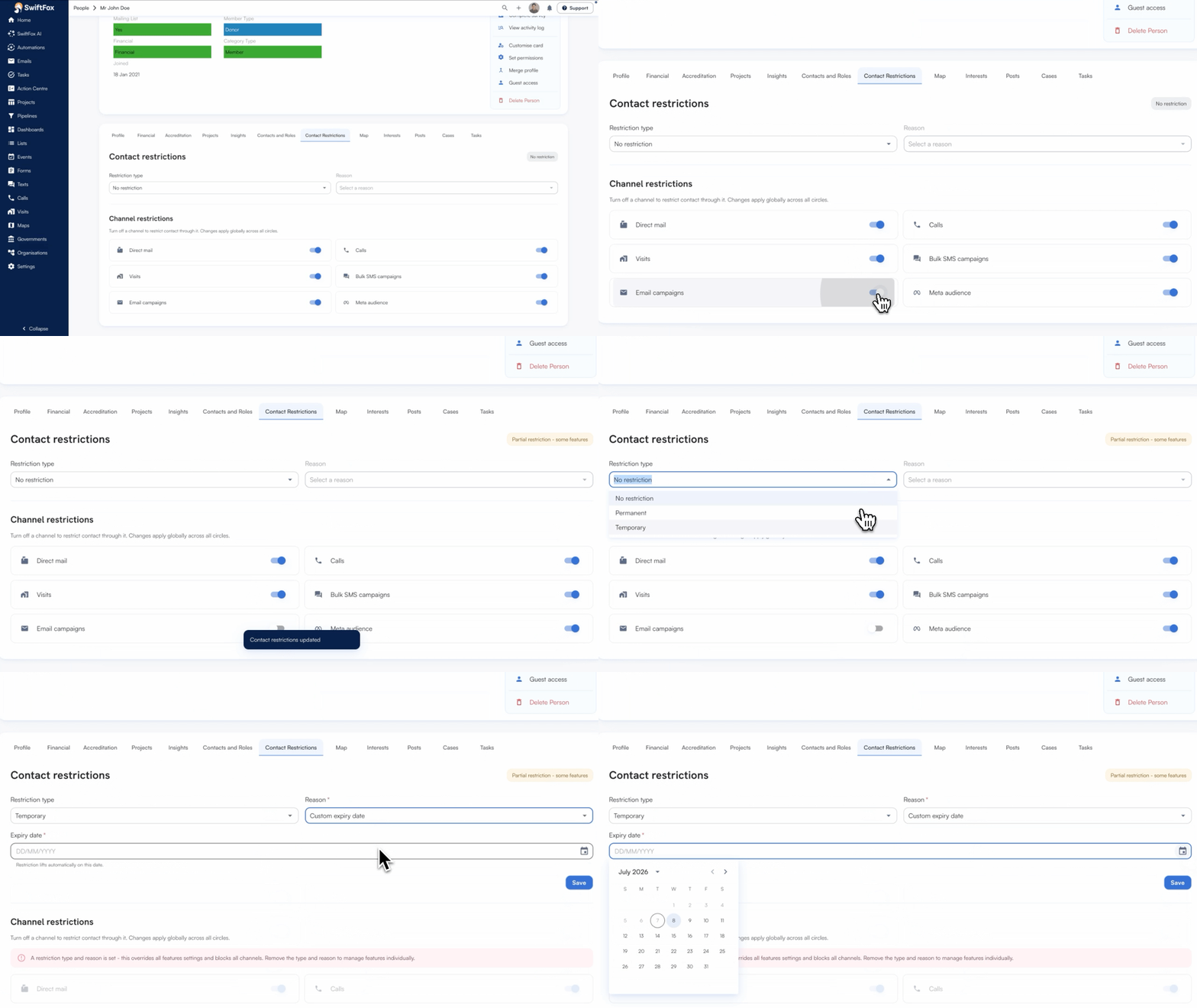
New contact restrictions
Communication restrictions give you a clear, reliable way to control whether a contact can be reached across SwiftFox. They sit above subscriptions and preferences, so if someone should not be contacted permanently, temporarily, or on a specific channel, SwiftFox respects that across email, SMS, calls, visits, and campaigns. It’s a practical safeguard for compliance, trust, and cleaner outreach, without adding extra checks for your team.
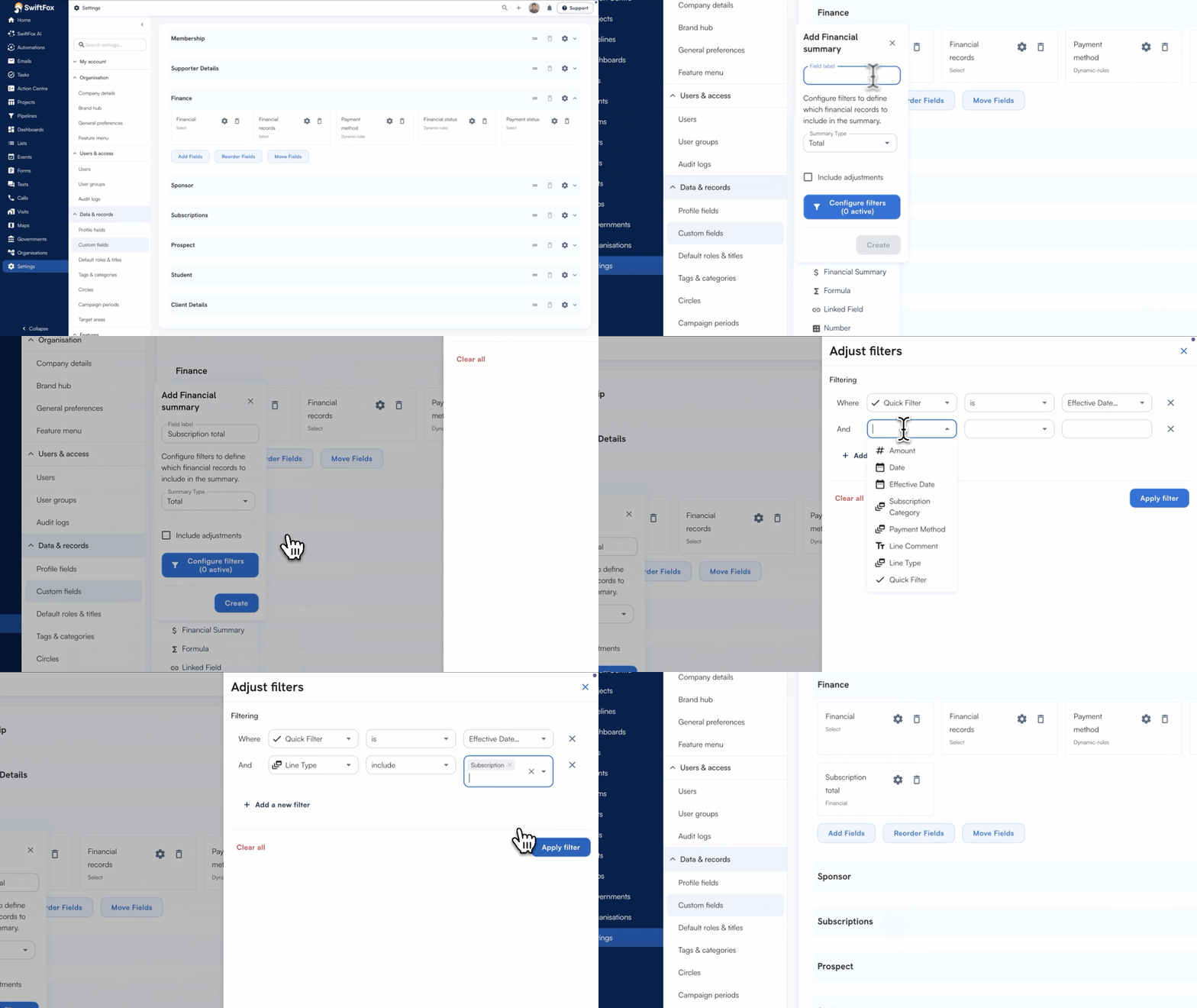
Improved financial summary custom fields
Financial summary fields let you report on exactly the receipts you care about Now you can now choose to include adjustments, like refunds or partial payments, with a simple checkbox when you create or edit a field.
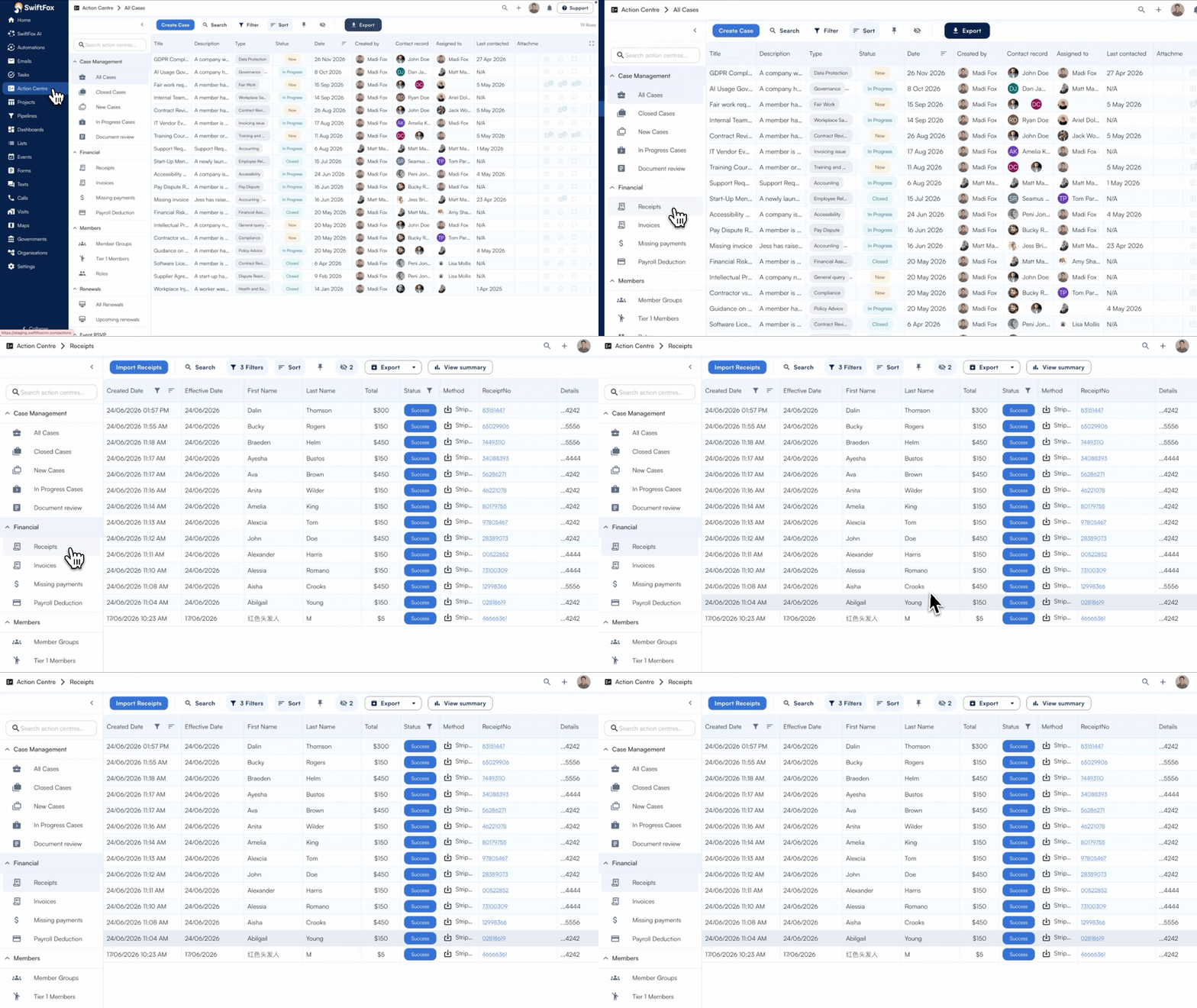
Updated receipts Action Centre
The Receipts Action Centre now shows the invoice details attached to each receipt, with new columns you can export. After recent finance changes moved subscription details into invoices, this brings that context back — so the receipts you check every day tell the full story again.
SwiftFox Masterclasses
Our SwiftFox Masterclasses continue to receive great feedback from customers, be sure to check out the latest sessions released recently, including:
Cancel and refund event bookings
Design interactive cards & custom fonts
Website news improvements